
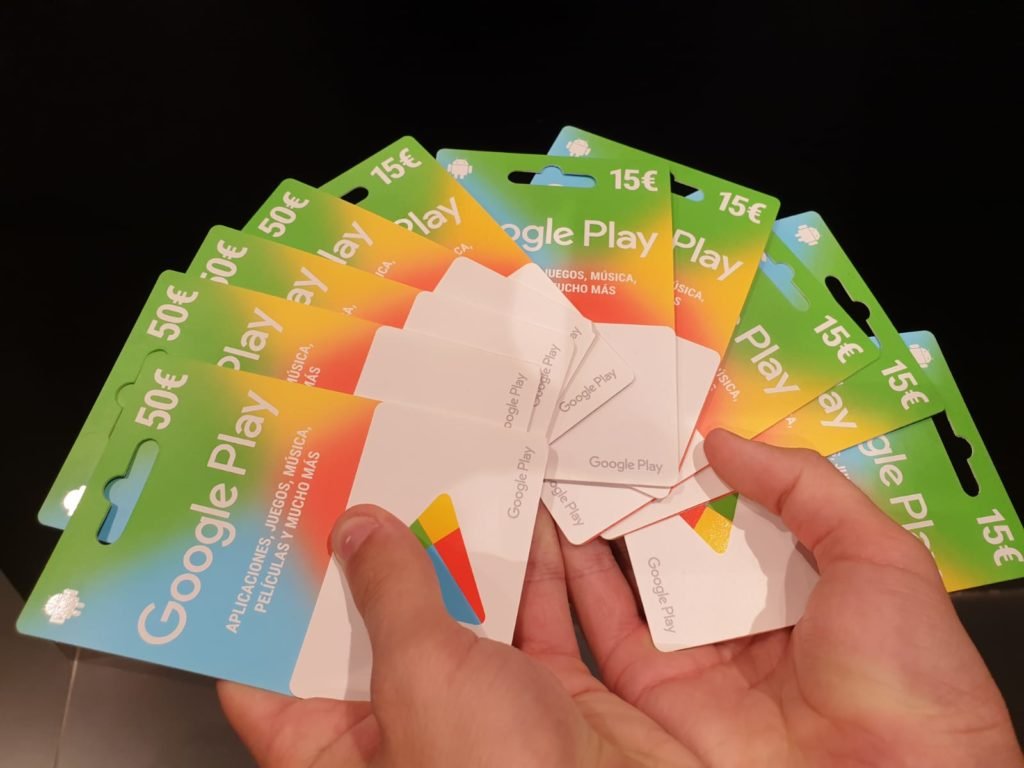
Las tarjetas de regalo de Google Play son una alternativa práctica para añadir saldo a una cuenta y utilizarlo posteriormente en contenido disponible dentro de Google Play. También pueden servir como regalo para alguien que utiliza un dispositivo Android, especialmente cuando prefieres no elegir directamente una aplicación, un juego o algún otro contenido digital por esa persona.
Aunque conseguir una tarjeta es bastante sencillo, conviene conocer algunos detalles antes de comprarla o intentar canjearla. Su disponibilidad cambia según el país, existen restricciones regionales y no todos los sitios que ofrecen códigos en Internet son confiables. En RobloxTod repasamos las opciones más seguras para obtenerlas y utilizarlas correctamente.
¿Qué es una tarjeta de regalo de Google Play?
Una tarjeta de regalo de Google Play es un producto prepago cuyo código puede convertirse en saldo dentro de una cuenta de Google Play. Una vez añadido, ese saldo puede utilizarse para compras compatibles dentro de la tienda, siempre de acuerdo con las condiciones y disponibilidad correspondientes a cada región.
Estas tarjetas pueden encontrarse en formato físico o digital. Las físicas incluyen normalmente un código protegido que debe descubrirse después de la compra, mientras que las digitales pueden enviarse mediante correo electrónico, mensaje u otros sistemas admitidos por el comercio que realiza la venta.
No todos los países cuentan con las mismas modalidades. Por eso, antes de comprar una tarjeta es recomendable comprobar que Google Play la admite en tu región y que el establecimiento elegido aparece como distribuidor autorizado.
Comprar una tarjeta en un comercio autorizado
La forma más directa de conseguir una tarjeta de Google Play es adquirirla mediante una tienda reconocida. Dependiendo del país, pueden encontrarse en supermercados, establecimientos de electrónica, tiendas de conveniencia y otros comercios que trabajen oficialmente con este tipo de productos.
Cuando se trata de una tarjeta física, es importante conservar el comprobante de compra hasta comprobar que el código funciona correctamente. Además, evita adquirir tarjetas cuyo empaque parezca abierto, manipulado o deteriorado, ya que el código podría haber quedado expuesto antes de llegar a tus manos.
También existen tarjetas digitales ofrecidas por comercios autorizados. En estos casos, el código suele entregarse mediante los métodos indicados durante la compra. Siempre es mejor acceder directamente al sitio o aplicación oficial del establecimiento en lugar de utilizar enlaces recibidos desde páginas desconocidas.
Comprar tarjetas digitales desde Google Play
En algunas regiones, Google permite comprar y enviar tarjetas digitales directamente mediante Google Play. Esta posibilidad no está disponible de la misma manera en todos los países, así que las opciones que aparecen en una cuenta pueden ser diferentes de las que ve otro usuario.
Cuando la función está disponible, resulta especialmente útil para enviar una tarjeta a un familiar o amigo sin necesitar una versión física. Aun así, debes comprobar cuidadosamente la cuenta y el destinatario antes de completar cualquier compra.
Las restricciones regionales siguen aplicándose a las tarjetas digitales. Una tarjeta preparada para un determinado país no debe considerarse automáticamente compatible con una cuenta configurada en otra región.
Google Opinion Rewards y el crédito de Google Play
Google Opinion Rewards es otra opción relacionada con el saldo de Google Play que puede estar disponible para determinados usuarios. La aplicación presenta encuestas ocasionales y, en los casos correspondientes, puede añadir crédito de Google Play a la cuenta vinculada.
Es importante diferenciar este crédito de una tarjeta de regalo. Opinion Rewards no debe entenderse como una manera de conseguir tarjetas, sino como un servicio oficial independiente que puede otorgar saldo por participar en encuestas cuando estas se encuentren disponibles para el usuario.
La frecuencia con la que aparecen encuestas puede variar considerablemente. Tampoco existe una garantía de recibirlas de manera constante, por lo que lo recomendable es utilizar la aplicación únicamente como una opción complementaria y no esperar una cantidad específica de saldo.
Promociones y códigos oficiales
En determinadas ocasiones, Google Play puede distribuir códigos promocionales mediante eventos, campañas o interacciones oficiales. Su funcionamiento depende de las condiciones particulares de cada promoción y algunos pueden estar destinados a aplicaciones o contenidos concretos.
Si encuentras una promoción, revisa siempre quién la organiza y cuáles son sus condiciones. Los códigos legítimos no requieren entregar la contraseña de tu cuenta de Google ni proporcionar información privada a una persona desconocida.
También conviene prestar atención a posibles fechas de vencimiento o restricciones de uso. Un código promocional no funciona necesariamente de la misma manera que una tarjeta de regalo convencional.
Cuidado con páginas que prometen códigos
Las tarjetas de Google Play son utilizadas con frecuencia como reclamo en páginas poco confiables. Algunos sitios aseguran disponer de sistemas capaces de crear códigos automáticamente o utilizan formularios llamativos para convencer al visitante de realizar diferentes acciones.
Lo recomendable es evitar cualquier servicio de este tipo. Un código válido debe proceder de Google, de un establecimiento autorizado o de una promoción legítima cuya procedencia pueda comprobarse fácilmente.
Tampoco compartas un código que todavía no hayas utilizado con desconocidos. Quien tenga acceso a él podría intentar canjearlo antes que tú, y recuperar posteriormente ese saldo puede resultar complicado.
Ten en cuenta el país de la tarjeta
Uno de los detalles más importantes de las tarjetas de Google Play es su restricción regional. Generalmente, la tarjeta debe utilizarse en el mismo país y con la moneda para los que fue comercializada, y la configuración de la cuenta también debe ser compatible.
Esto significa que comprar una tarjeta procedente de otra región puede ocasionar problemas al intentar canjearla. Antes de realizar una compra en Internet, revisa cuidadosamente para qué país está destinada.
Esta precaución resulta especialmente importante cuando encuentras tarjetas en mercados o tiendas internacionales, donde pueden aparecer productos diseñados para varias regiones diferentes.
Cómo canjear una tarjeta de Google Play
El proceso desde un dispositivo Android es bastante sencillo. Abre Google Play y toca tu imagen de perfil situada en la parte superior de la pantalla. Después entra en Pagos y suscripciones y selecciona la opción Canjear código.
Introduce cuidadosamente el código de la tarjeta y continúa con las indicaciones mostradas en pantalla. Antes de confirmar, revisa que estés utilizando la cuenta de Google correcta, especialmente si tienes varias cuentas configuradas en el mismo dispositivo.
Si el código presenta algún problema, comprueba primero que haya sido escrito correctamente y que la tarjeta corresponda a tu país y moneda. Conservar el comprobante de compra también puede ser útil si necesitas solicitar ayuda al establecimiento donde la adquiriste.
Una forma sencilla de utilizar Google Play con mayor control
Las tarjetas de regalo pueden resultar cómodas para quienes prefieren añadir saldo previamente en lugar de utilizar directamente otro método de pago en cada compra. También facilitan regalar contenido digital sin tener que decidir exactamente qué aplicación o juego le interesa a otra persona.
La clave está en obtenerlas únicamente mediante canales confiables, revisar las restricciones regionales y mantener los códigos protegidos hasta el momento de utilizarlos. Siguiendo estas precauciones, una tarjeta de Google Play puede ser una alternativa sencilla y segura para gestionar compras compatibles dentro de la plataforma.